Steps to submit an event on Engage
The new Engage event process allows you to get your events publicized to the entire TCU community! This process is now mandatory for all approved and active organizations on campus to follow for any event they are holding. Event forms must be filled out at least 2 weeks in advance in order to timely event approval. Any questions may be directed to the Office of Student Organizations.
Log into Engage. On your Home page, click on the organization you wish to add an event for.

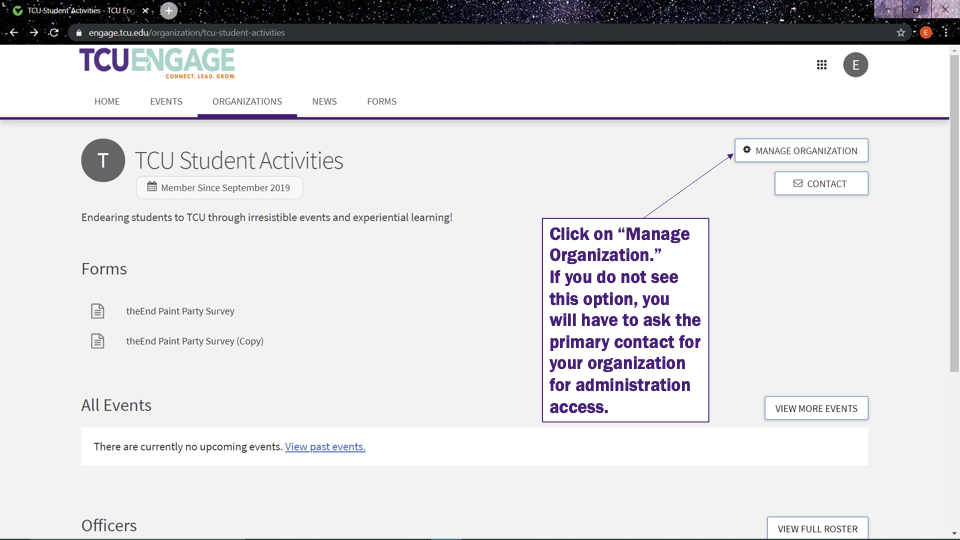
On the upper right, Click on “Manage Organization.”
If you do not see this option, you will have to ask the primary contact for your organization for administration access.
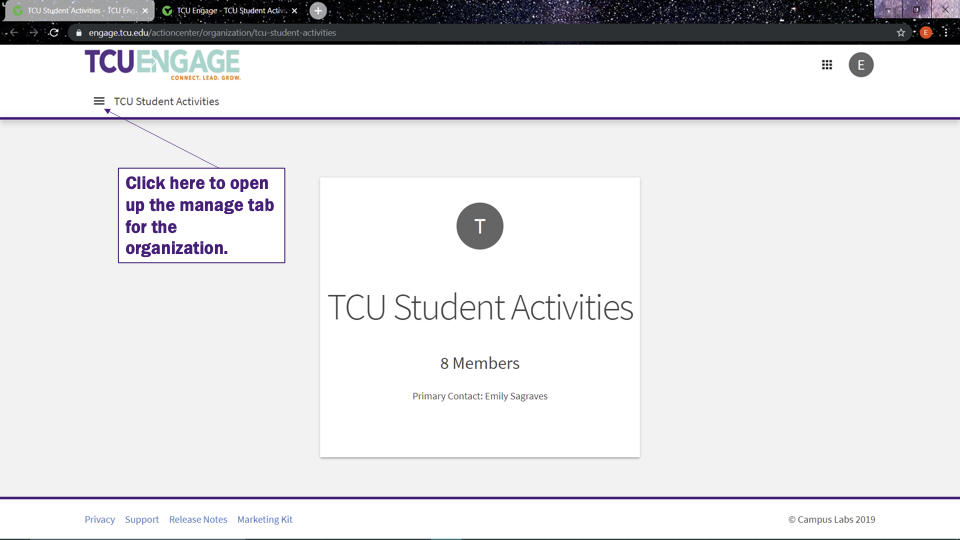
On the upper left, click the “burger menu” icon, represented by 3 horizontal lines, to open up the Manage tab for the organization.
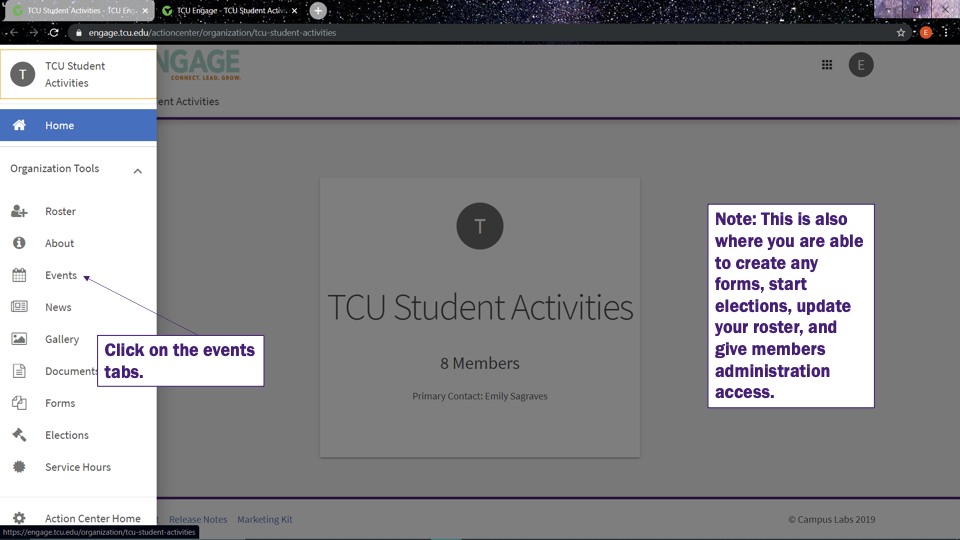
On the dropdown menu, click on the Events link.
Note: This is also where you are able to create any forms, start elections, update your roster, and give members administration access.
On the upper right, click on the blue Create Event button.
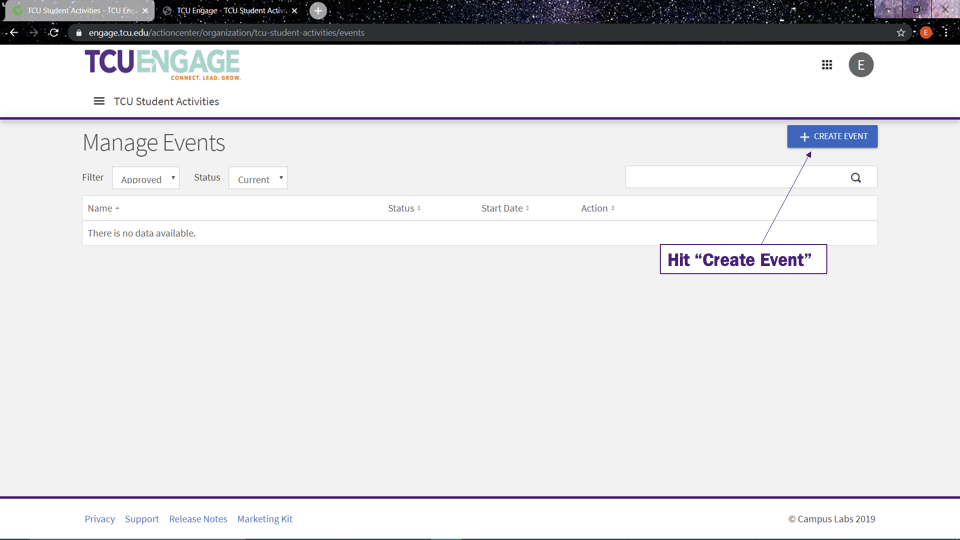
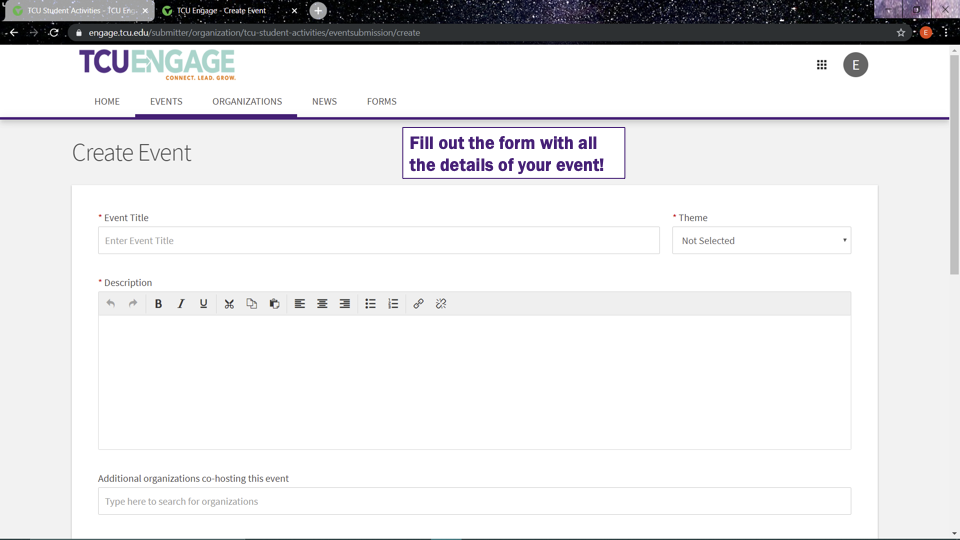
Fill out the form with all the details of your event and click Submit.
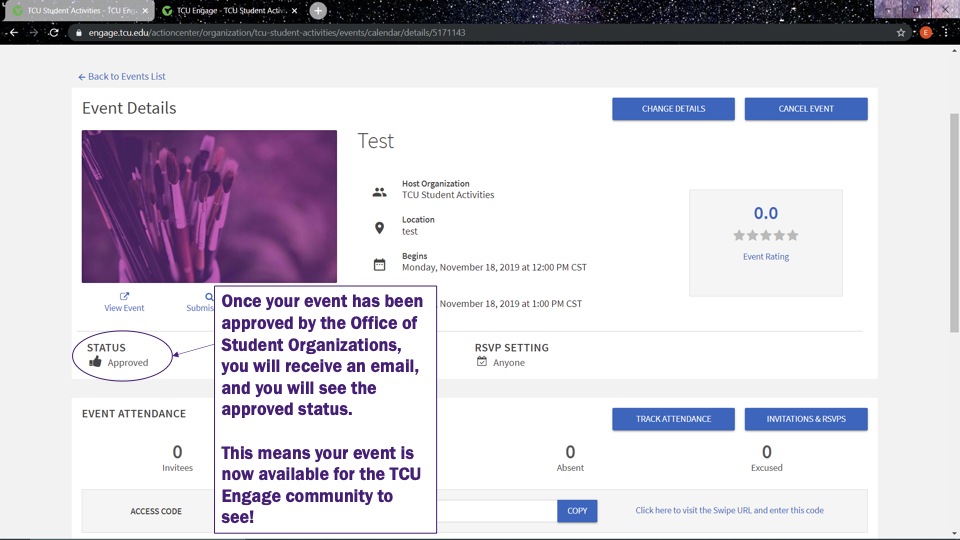
Once your event has been approved by the Office of Student Organizations, you will receive an email, and you will see the Approved status. below your event image.
This means your event is now available for the TCU Engage community to see!
That’s it. If you have any question regarding this process, please contact the Office of Student Organizations.